
Help and getting started
Find the next step.
Use the site with confidence.
Practical instructions and screenshots for registration, hospital submissions, member activities and response tools.
Registered your interest? Here is what happens next.
Your details enter a private review queue. A coordinator follows up using the contact information you supplied. A joining request is separate from IMA membership approval, phone verification and permission to use emergency response tools.
Government-doctor applicants receive a request reference. Keep it for corrections or follow-up. There is no promised response time and no public application-status lookup.
Forms, shown step by step.
These screenshots show empty website forms in English. The hospital example uses a training session to display its restricted form; no real member details or submissions are shown. Select an image to open it at full size.
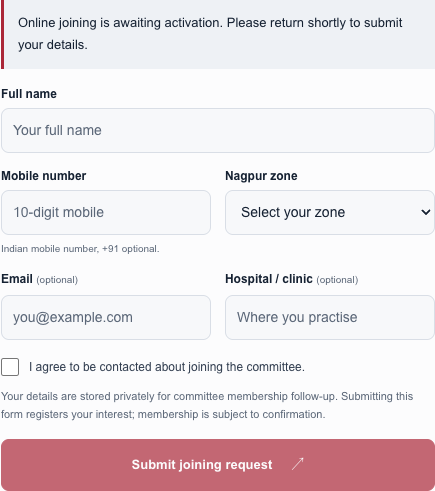
Register committee interest
- Enter your own name, Indian mobile number and Nagpur response area.
- Add your email and hospital if you want to provide them, then agree to membership follow-up.
- Submit once and wait for the confirmation. This records interest; it does not approve IMA membership or switch on alerts.
Open full screenshot ↗
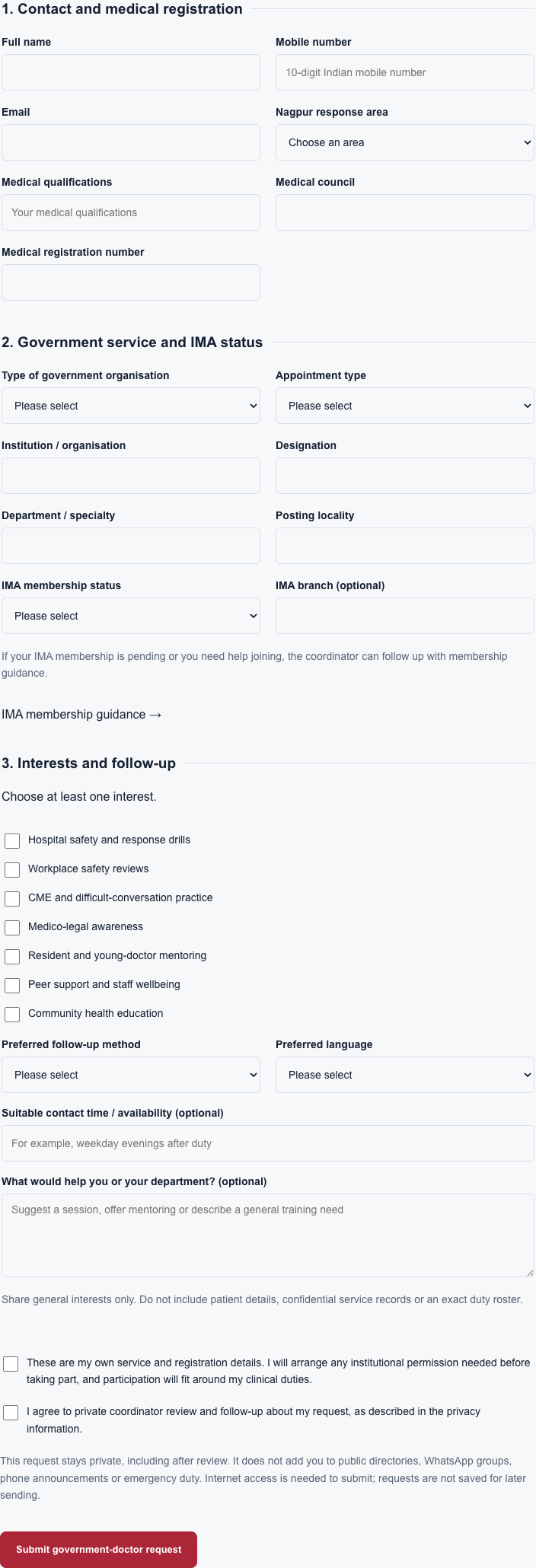
Enrol as a government-service doctor
- Provide your contact details, qualifications, medical council and registration number.
- Select your government organisation and appointment type. Add your institution, department, designation and posting locality.
- Select your IMA status. Registered members must provide their IMA number; other doctors can request membership guidance.
- Choose at least one activity interest, your preferred language and contact method. Agree to private review and submit.
- Keep the request reference. Your application stays private after review; it does not add you to emergency calls or WhatsApp alerts.
Open full screenshot ↗
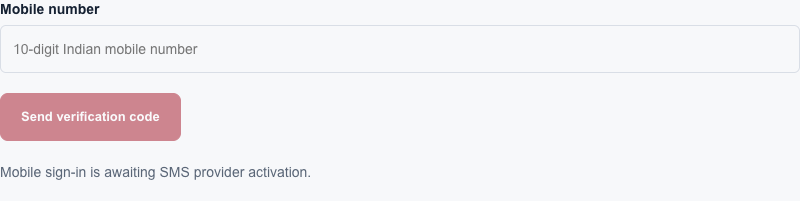
Use your member account
- Mobile sign-in is currently awaiting SMS provider activation. Public committee and government-doctor interest forms remain available.
- Once enabled, enter your mobile number and the verification code received on that phone.
- Submit your IMA membership details for coordinator review. A verified phone number alone does not approve membership.
- Once approved, use your member account to access the available private response tools.
Open full screenshot ↗
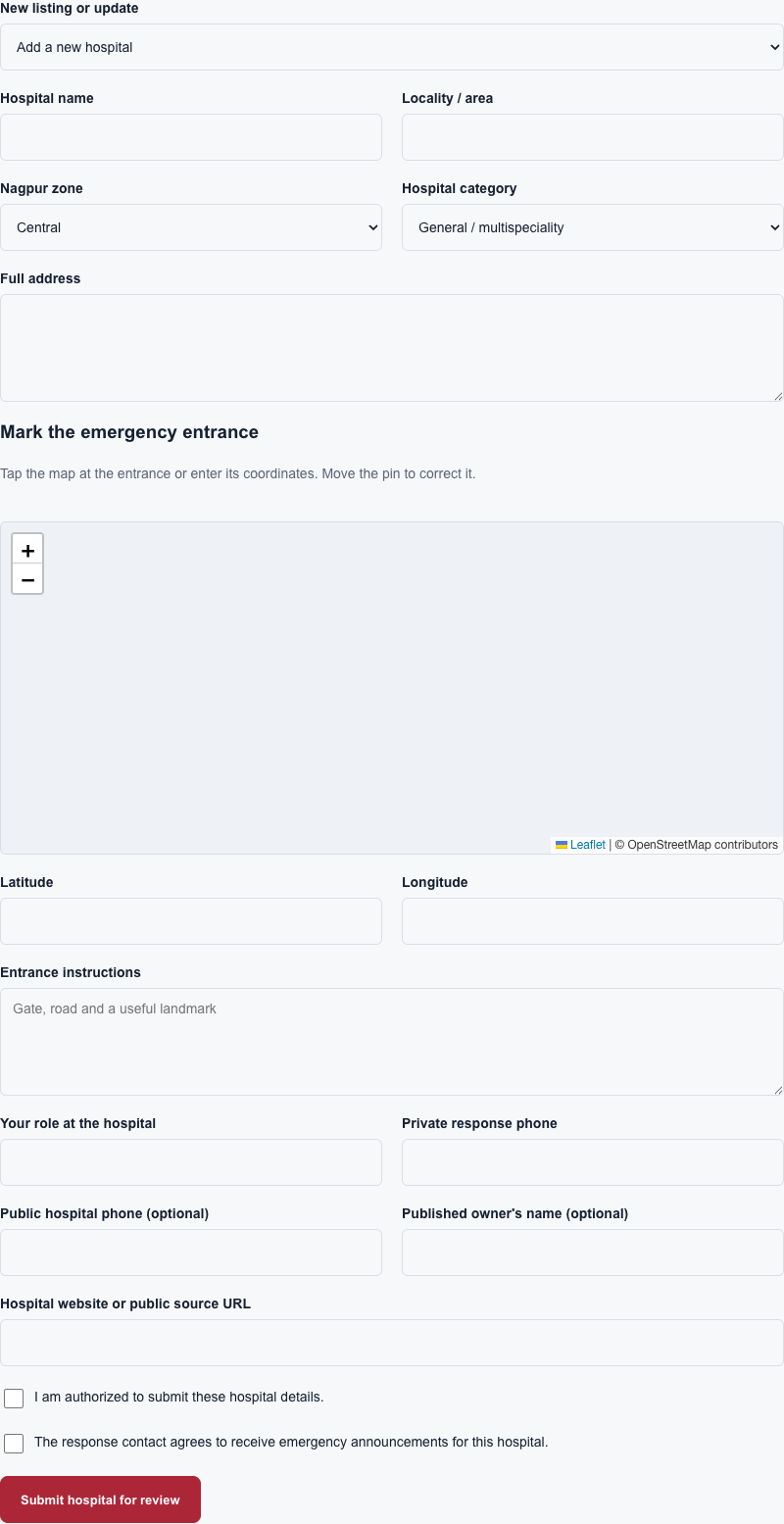
Add or correct a hospital
- Sign in as an approved IMA member. Choose a new hospital or an existing listing to update.
- Enter the hospital name, address, locality and response area. Mark the emergency entrance on the map or enter its coordinates.
- Add entrance instructions, a public source and your role at the hospital. The response number stays private; the optional public number can appear in the listing.
- Confirm your authority and any response-contact consent, then submit for review.
- A coordinator verifies the hospital and entrance before the approved entry appears on the map. A submission does not publish immediately.
Open full screenshot ↗
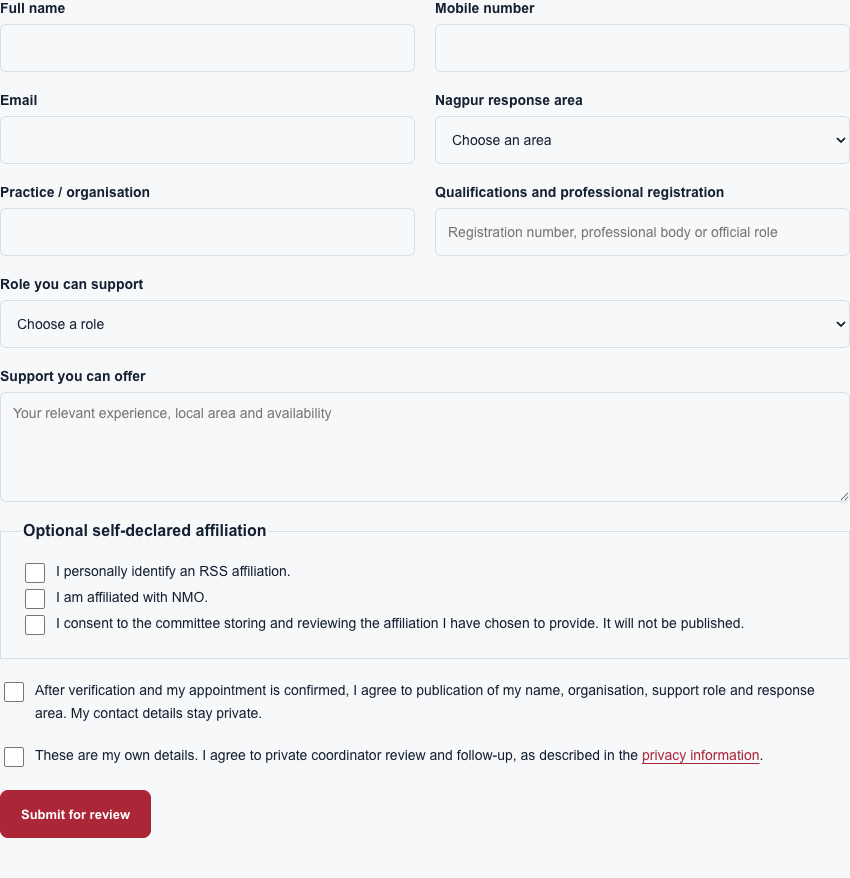
Offer professional support
- Enter your own contact details, organisation, qualifications and professional registration or official role.
- Choose the support role you can offer and describe your experience and availability.
- Affiliation is optional. Declare it only for yourself and provide the separate consent if you choose to include it.
- Read the publication choice and private-review consent, then submit. Coordinators confirm credentials and the role before appointment.
Open full screenshot ↗
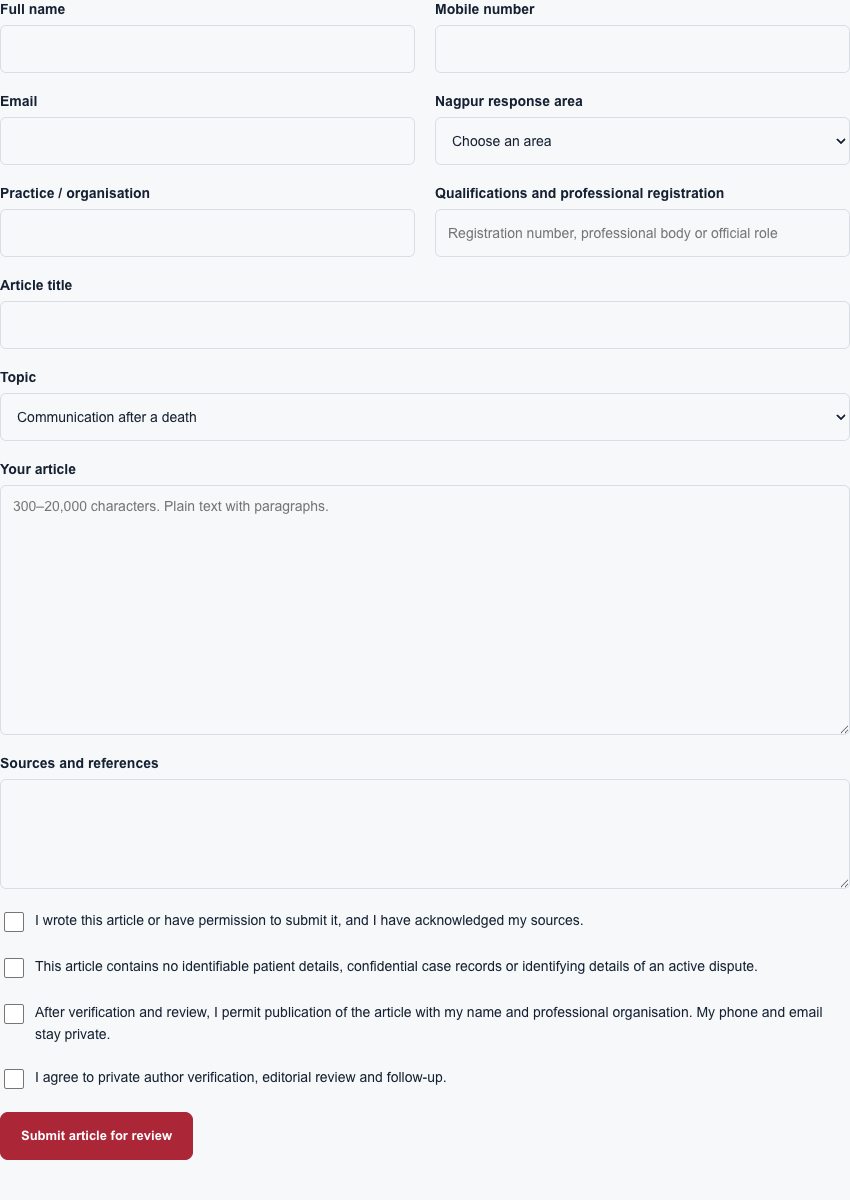
Submit a doctor article
- Provide your professional details, an article title and a topic.
- Write an original educational article of 300–20,000 characters and include references.
- Leave out patient identities, confidential case records and identifying details of active disputes.
- Confirm authorship, publication permission and private review, then submit. Articles appear only after author verification and editorial approval.
Open full screenshot ↗
Search the site and reach a hospital.
- Use the global search near the top of the landing page. Enter a doctor, hospital, locality, form name or news topic.
- Choose a category to narrow results. Use Previous results and Next results to browse longer lists.
- A doctor result opens the directory with that name selected. A hospital result opens its detail page; a news result may open the original publisher.
- On a hospital page, use Copy location or Directions. Check the entrance instructions. A published campus pin is not necessarily a committee-verified emergency entrance.
Search includes public records and approved public contributions. It excludes private applications, member accounts and incident records. A public doctor listing does not establish verified IMA membership.
What happens when I press SOS?
Opening SOS does not send a message or place a call. It opens emergency guidance and the member response route. For immediate danger, use the police contact options.
- Use an approved member account with a verified phone number.
- Choose the hospital and emergency category, check your callback number, and supply GPS or a manual location.
- Read the confirmation and the channel-availability message before submitting.
- When dispatch is enabled, the server contacts approved recipients for the incident zone. Group membership on this website alone does not make a phone an alert recipient.
- Use the incident page to see acknowledgements and delivery updates. Use the accidental-alert cancellation option when necessary; cancellation cannot retract a call or message already sent.
Live WhatsApp and phone announcements are awaiting provider activation and verified recipients. A provider accepting a request is different from a recipient receiving or reading it. Practice incidents never send automatic messages or calls.
Join an activity or offer support.
Open Member activities, choose an activity and select its volunteer button. The support application opens with the activity selected. Add your professional details, IMA number, relevant experience and availability. The programme is proposed; dates and participation are confirmed separately.
Government-service doctors can choose interests in their dedicated form and copy an editable departmental workshop request. Sharing that draft does not book a session.
Install the app and choose your language.
- Select Install app where available. Follow the browser prompt, or the instructions shown for your phone or tablet.
- On iPhone or iPad, open the site in Safari and use Share → Add to Home Screen.
- Use the language selector for English, Hindi or Marathi. Published names, screenshots and source documents keep their original wording.
- Some public pages remain readable offline. Forms, account access and alerts require an internet connection and are not queued offline.
- If an update is ready, finish any form before reloading the app.
If something does not work.
- No confirmation after submitting?
- Keep the page open and check the message below the form. If the connection was interrupted, the request may have reached the server. Contact the project before submitting again if you are unsure.
- Cannot receive a sign-in code?
- Mobile sign-in is awaiting SMS provider activation. Use the public interest form meanwhile. Once enabled, check the number and any wait message before requesting another code.
- Location permission denied?
- Use the manual location option or the hospital’s published location. On a hospital submission, you can enter entrance coordinates directly.
- No search results?
- Try fewer words, another spelling or Everything in the category selector. Directory names are retained as published.
- Need to correct or withdraw an application?
- Email the website help contact with your name and request reference if available. Do not send passwords, OTPs, patient records or confidential case documents.
This contact is for website assistance, not an emergency dispatch line. For IMA membership fees, eligibility or official acceptance, use the IMA branch contact page.
Source documents, photographs and publisher websites remain in their original language. Directory names and addresses are retained as published.